as
UIVIC Virtual Instrument Cluster
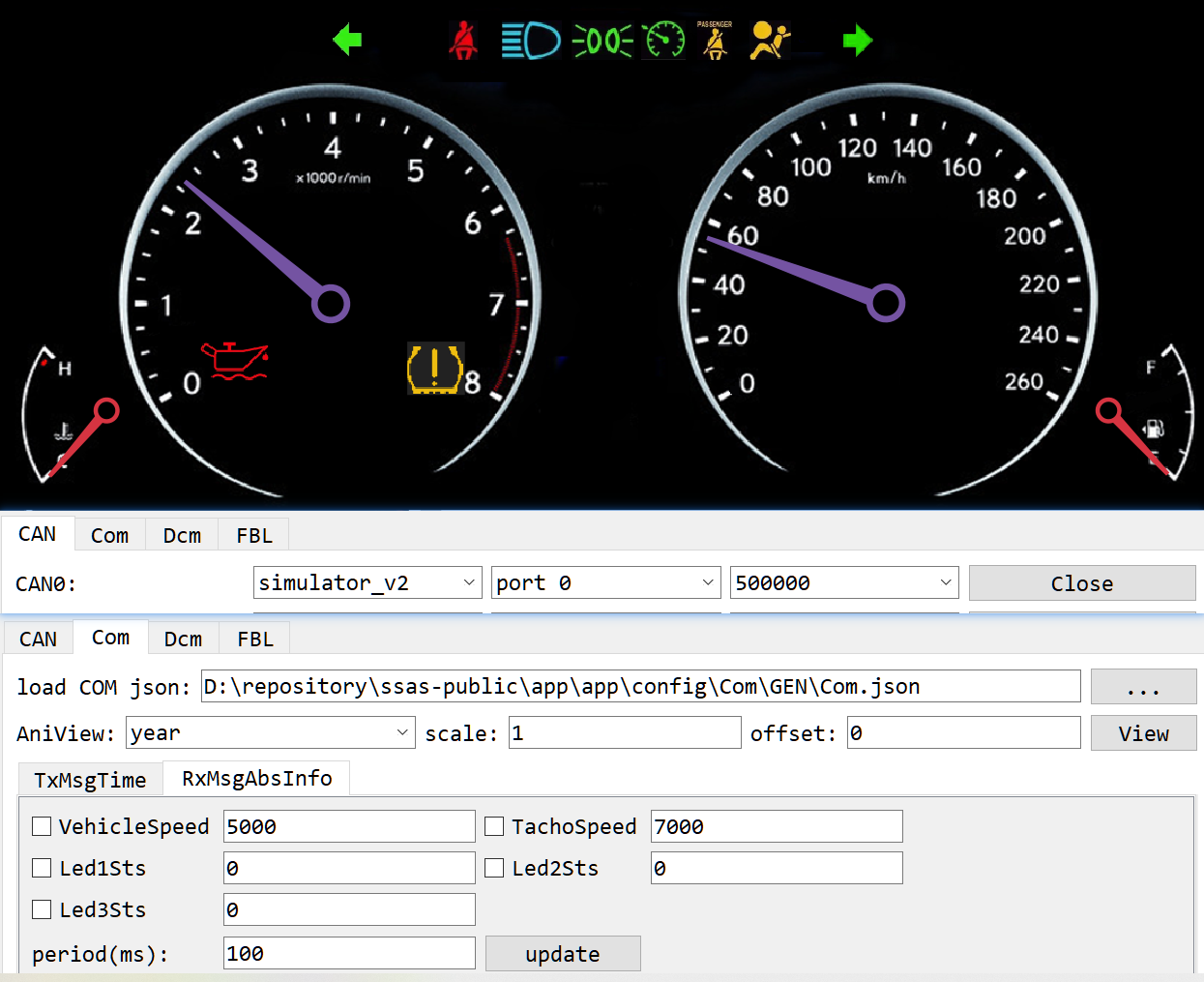
UIVIC is a Qt GUI based Virtual Instrument Cluster implemented to simulate vehicle telltales and gauges.
By default UIVIC acts as the backend GUI for the CanIC demo application. This is only a simulation: the data exchange between CanIC and UIVIC runs over SOME/IP.
1. Build and Run
Follow the commands below. It is recommended to disable any VirtualBox related network adapter before running.
# build
scons --app=CanIC --os=OSAL
scons --lib=AsOne
scons --app=asone --prebuilt
scons --lib=UIVIC --prebuilt --os=OSAL

# run
build\nt\GCC\CanIC\CanIC.exe

cd build\nt\GCC\one
asone.exe

cd tools\asone
python main.py
# In the CAN panel, open CAN0, then switch to COM and press key 'x' to request
# CanIC to enter Network mode. You can see TxMsgTime change every second.
# Go to RxMsgAbsInfo and use it to control the gauge pointer of UIVIC.
2. Source Code
For more details, read the related source code:
- Swc_Telltale.c - telltale software component
- Swc_Gauge.c - gauge software component
- SOME/IP server on CanIC
- SOME/IP client on UIVIC
- UIVIC main window